
Shimeji: Screen Buddies
Digital CosmosPersonalization
4.416.30K Reviews
- Version
- 13.5
- Installs
- 10.00M
- Age Rating
- Everyone
Screenshots
Our Review of Shimeji: Screen Buddies
 Analysis by Appyee
I enjoy personalization apps most when they change the feel of a phone without making me rebuild the entire interface. Shimeji: Screen Buddies takes that approach in a playful way: instead of replacing icons, wallpapers, or widgets, it places small animated characters over the screen so they can wander around while I use other apps. It is a simple idea, but it gives an ordinary phone a bit of personality.
Developed by Digital Cosmos, this free personalization app is aimed at anyone who likes animated companions, character customization, or a less static home screen. Its store summary also points to a creative side: I can draw a pet or use AI to create one, rather than relying only on a fixed collection. That makes it more interesting than a basic animated wallpaper, although the experience depends heavily on how much I enjoy having a character present during everyday phone use.
How Shimeji: Screen Buddies feels in everyday use
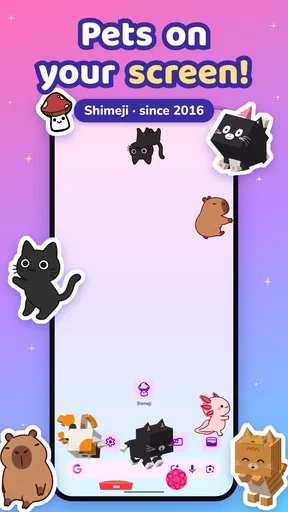
The central appeal is easy to understand. A shimeji is a little screen companion that can move, climb, and play across the apps I already use. I do not open the app because I want another feed, task list, or game session. I open it to give my phone a small visual surprise. The character becomes a layer of entertainment over normal phone activity, which is why this app feels closer to a digital toy than to a conventional customization utility.
That distinction matters when deciding whether it belongs on your device. A wallpaper changes the background and then mostly disappears into the interface. A widget waits for me to look at it. A screen pet is more active: it can catch my attention while I am reading, messaging, or waiting for something to load. For me, that makes the app feel more personal, but it also means the novelty can become distracting if I prefer a clean, quiet screen.
The app sits in the personalization category, and that is the right description. It does not try to organize my files or improve productivity. Its job is to make the phone feel more expressive. The Everyone age rating also fits the friendly, character-focused concept, making it suitable for a broad audience rather than being designed around mature themes.
What the free entry point actually offers
The most important cost detail is straightforward: the app is free to download and use at its entry level. That makes it easy to test without committing money first. I can find out whether animated companions suit my habits, whether I like seeing them over other apps, and whether the creative tools are worth returning to before considering any optional spending.
There are in-app purchases priced from $2.49 to $28.99 per item. I would treat those as optional ways to expand or personalize the experience, not as a reason to install the app in the first place. The practical value question is therefore personal: if one companion already gives me the playful effect I wanted, the free access may be enough. If I want to spend time creating and collecting a more customized set of characters, the paid items may become more relevant.
I appreciate this separation because it lowers the risk of trying the app. Still, I would not assume that every creative possibility or character option is included at no cost. Before buying anything, I would check the exact item and what it changes. The listed price range is broad, so an occasional small purchase and a larger customization purchase should not be judged as the same kind of value.
Where the app earns its place on my phone
The strongest value comes from the combination of presence and creativity. A static image can match my taste, but it cannot react visually to the way I use the screen. A standard character app may offer cute designs, but the ability to draw or AI-create a pet gives me a route toward something more personal. Even a deliberately simple drawing can feel more meaningful than selecting another pre-made wallpaper.
One useful workflow is to start with a character that requires no creative effort, live with it for a day, and then decide whether customization would improve the experience. That order prevents me from spending time designing something before I know whether I enjoy screen pets at all. It also helps separate the app’s basic charm from the appeal of its creation tools.
Another good use is as a small mood lift during repetitive phone tasks. I can imagine keeping a companion active while checking messages, listening to audio, or waiting during a routine process. The pet does not need to become the focus; it can simply make a familiar screen feel less mechanical. This is especially effective for people who like tiny visual details and do not need every element of their phone to serve a practical purpose.
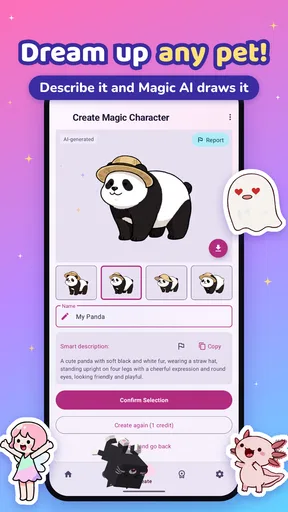
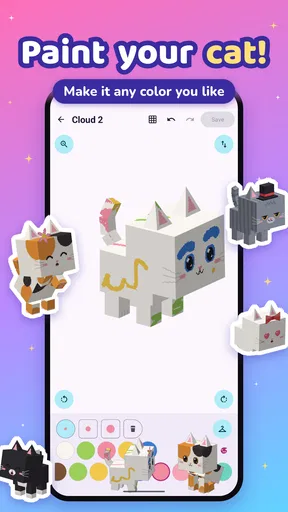
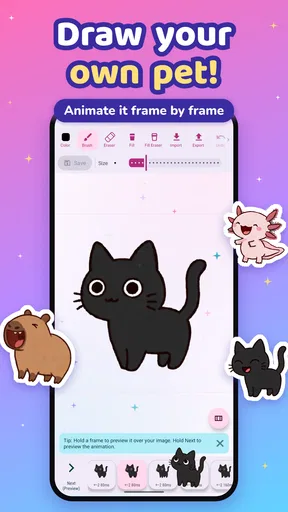
The drawing option has a different kind of value from AI creation. Drawing gives me direct control and can turn a doodle, mascot, or personal idea into a screen companion. AI creation is more appealing when I have a concept but do not want to construct it manually. The trade-off is obvious: manual work feels more intentional, while AI-assisted creation is likely to be more convenient for experimentation. I would use the two methods for different moods rather than treating one as universally better.
Small habits that make the experience better
I would begin with one companion rather than trying to fill the screen immediately. A single moving character is easier to notice without making the phone feel busy. It also gives me a clearer sense of whether the app’s movement is charming or whether it competes with what I am doing.
I would also avoid judging it during a short first launch. The concept is designed to be encountered while using other apps, so the real test is an ordinary phone session. I would send a few messages, read something, and use the home screen normally. If the pet remains amusing during those activities, it has found a place in my routine. If I keep looking for a way to hide it, the answer is equally clear.
For creative users, I would keep the first custom design visually simple. A character with an instantly recognizable shape is more satisfying as a tiny moving figure than a detailed design that becomes hard to read at screen size. This is not a limitation of the app’s premise so much as a practical design lesson: screen companions work best when their personality survives movement and scale.
I would also think about context. A playful character may be welcome on a personal phone but less appropriate when I am showing a presentation, recording a tutorial, or handing the device to someone for a serious task. The app is more enjoyable when I treat it as a mode I can choose, not as something that must remain visible all day.
What I would compare it with
Compared with ordinary wallpapers, Shimeji: Screen Buddies offers more life and interaction, but it also asks for more attention. A wallpaper is safer for a minimalist setup because it stays in the background. I would choose the wallpaper route if my priority were a consistent visual theme, low distraction, or a polished lock-screen appearance.
Compared with widgets, the app is less useful in a practical sense. Widgets show information or provide shortcuts; a screen pet provides atmosphere. If I want calendar access, weather, notes, or quick controls, a widget is the better tool. If I want my phone to feel a little more playful while I am not doing anything important, the pet has the advantage.
Compared with a full launcher or icon pack, this app is easier to add without redesigning the whole interface. I do not need to change the structure of my home screen to get its effect. The downside is that it does not give me the same level of visual control over icons, spacing, folders, or navigation. In other words, it complements a phone theme rather than replacing one.
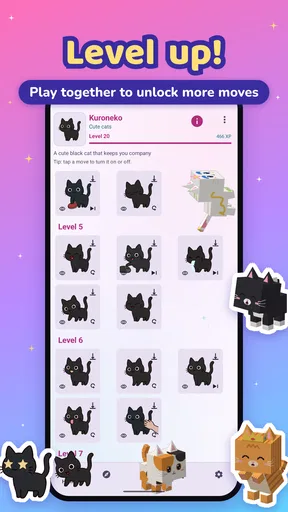
It also differs from a conventional game. There is no reason to install it expecting a deep progression system or a long play session. Its entertainment comes from the companion existing on the screen and from the creative process of making one. People who want goals, levels, or a defined challenge would probably be happier with a dedicated game.
The trade-offs I noticed
The first limitation is attention. An animated object crossing the screen can be delightful when I am relaxed and irritating when I am trying to concentrate. The same feature that makes the app stand out from a wallpaper can make it a poor fit for reading, work, or any task where visual interruptions are unwelcome.
The second is that the value may decline after the first burst of novelty. A screen pet is not automatically useful every day. Its lasting appeal depends on whether I enjoy ambient character animation or whether I need a stronger reason to return. The drawing and AI creation options help extend the experience, but they do not change the fact that the core activity is intentionally light.
There is also a difference between liking the idea of customization and actually wanting to create characters. If I enjoy drawing, experimenting, and refining a personal design, the creative side can make the app feel much richer. If I only want a ready-made companion, the creation tools may not add much value. I would not pay for customization simply because it exists; I would pay only if I already know I will use it.
Device compatibility is another practical point to check before installing. The current version is 13.5 and requires Android 8.0 or later. That is helpful for people deciding whether an older Android phone can run it, but it also means the app is not aimed at every legacy device. On a supported phone, I would still pay attention to how comfortable the overlay feels during normal use rather than assuming the experience will suit everyone.
The app has built a substantial audience, with an average rating of 4.4 from around 418 thousand ratings and more than 10 million installs. Those figures suggest that the basic idea has broad appeal, but they do not remove the personal nature of the decision. A popular screen pet can still be wrong for someone who dislikes animated overlays, wants maximum battery simplicity, or prefers a strictly functional interface.
Who is most likely to enjoy it
I think the best audience is someone who sees a phone as a personal object rather than only a tool. If I enjoy changing wallpapers, arranging icons, collecting character art, or adding small decorative touches to my devices, this app gives me another way to express that taste. It is particularly appealing when I want customization that feels alive instead of static.
It can also work well for families or younger users who like friendly animated characters, although I would still set it up with the user’s attention span and phone habits in mind. The Everyone rating makes the app broadly approachable, but “suitable for everyone” does not mean every person will enjoy a moving character over their apps.
Creative users may get the most lasting value. The option to draw or AI-create a pet changes the app from a simple novelty into a small character-design project. I could make a companion based on a personal doodle, a fictional idea, or a visual theme for my phone. That gives the app a more personal payoff than merely selecting another decorative image.
I would skip it if I want a distraction-free phone, a productivity improvement, or a complete visual redesign. It is also not the right choice if I dislike overlays or expect a game with structured objectives. In those situations, a clean wallpaper, a launcher, or a dedicated game would serve the goal more directly.
My buy-or-skip verdict
My recommendation is to try the free version first and make the decision based on how the companion behaves during a normal day. That is the fairest test because the app’s appeal is not captured by a screenshot. If I smile when the pet appears, enjoy checking it between tasks, and feel motivated to create a character, the free experience has already delivered something worthwhile.
I would consider an in-app purchase only after identifying a specific creative or customization need. The available items range from $2.49 to $28.99, so I would compare the cost with how often I expect to use the result. A small experiment may be reasonable for a regular user, while a larger purchase makes sense only for someone who treats the app as an ongoing creative hobby.
For me, the best description is a playful personalization layer, not a practical phone tool. Digital Cosmos has made an app that stands apart from wallpapers and widgets by putting the character directly into everyday screen use. Its strengths are personality, immediacy, and the chance to create something more personal. Its weaknesses are distraction, limited practical purpose, and the possibility that the novelty will fade.
So I would recommend installing it if you want your Android phone to feel more animated and you are curious about making a custom screen pet. I would skip paid extras until the free experience proves that the idea fits your routine. With a 4.4 average and a large existing audience, it is clearly not a niche experiment, but its real value still depends on one simple question: do you want a companion on your screen, or do you want your screen to stay out of the way?
Verdict
Strengths of Shimeji: Screen Buddies
- Cute animated characters add personality to your phone screen.
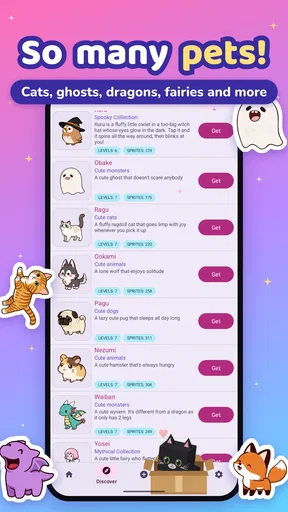
- Large selection of characters from different themes and series.
- Characters move around without blocking normal app usage.
- Simple setup makes adding or removing buddies quick.
- Works well as a lighthearted customization feature for phones.
Limitations of Shimeji: Screen Buddies
- Some characters and features may require in-app purchases.
- Animations can become distracting during reading or gaming.
- May use extra battery while screen buddies remain active.
- Permissions may concern users who prefer minimal app access.
- Character movement can occasionally overlap buttons or screen content.
Similar Picks in This Category
View All
Microsoft SwiftKey AI Keyboard
SwiftKey4.3

Wallpapers
Google LLC4.1

Zedge™ Wallpapers & Ringtones
Zedge4.7

Yandex Browser with Alice AI
Direct Cursus Computer Systems Trading LLC4.3

Ringtone Maker:create ringtone
Big Bang Inc.4.7

Fonts Keyboard
Fonts Keyboard3.9
Frequently Asked Questions
What is Shimeji: Screen Buddies?
Shimeji: Screen Buddies is a customization app that places small animated characters, often called shimeji, on your device’s screen. These virtual companions can walk, climb, jump, and interact with parts of the display while you use other apps. It is mainly designed for entertainment and personalization, especially for fans of anime, games, cartoons, and cute digital characters.
How does Shimeji: Screen Buddies work on Android or iOS?
After choosing a character, the app may request permission to display the buddy over other applications, depending on your device and operating system. Once enabled, the animated character appears above your normal screen activity and moves independently. The exact features can differ between Android and iOS because each platform has different restrictions regarding overlays, background activity, and system-wide screen access.
Is Shimeji: Screen Buddies free to download and use?
The app can generally be downloaded without an upfront payment, but some characters, customization options, or additional features may require in-app purchases. Advertising may also be included in the free experience. Before downloading or subscribing, it is worth checking the store listing for current pricing, available premium content, trial terms, and whether purchases are one-time payments or recurring subscriptions.
Does Shimeji: Screen Buddies affect battery life or device performance?
Because animated buddies remain active and may use background processes, the app can consume more battery than a completely static wallpaper or widget. On newer devices, the impact is usually manageable, although running several characters at once may increase resource usage. If you notice battery drain, lag, or overheating, reduce the number of buddies, disable unnecessary animations, or stop the overlay.
Is Shimeji: Screen Buddies safe and what permissions does it require?
The app’s main function may require permissions related to displaying content over other apps, notifications, or background operation. These permissions are necessary for a buddy to remain visible, but users should review them carefully and download the app only from an official store. Avoid granting unrelated access, check the developer information and privacy policy, and disable permissions if you no longer use the application.
